Search and Filter Pro: How to Narrow Advertiser Leads
November 10, 2026
Every prospecting workflow hits the same wall. You know the brands worth calling are advertising somewhere inside the Meta Ad Library or the Google Ads Transparency Center, and you know that a brand which launched its first campaign this week is a better use of an hour than one that has consistently tested the same three creatives since 2023. What you don't have is a way to tell those two apart at a glance.
Search and Filter Pro is that way. It's less a product feature than a working method: narrow the advertiser pool by structure, read the activity signal, then verify the store by hand before you write a word of outreach. The sections below walk through each filter, the four signals, and the honest limits of what public ad data can prove about a brand's business.
Table of Contents
- Why a Broad Advertiser List Wastes Your Week
- Filter Dimensions and What Each One Narrows
- Activity Signals That Mark a Brand's Ad Stage
- Build, Check and Save Your First Filtered Search
- Reading Signals Without Overclaiming Performance
- Coverage Gaps That Change What a Missing Ad Means
- Data Limits and Your Pre-Pitch Checklist
Why a Broad Advertiser List Wastes Your Week
A paid social agency owner opens the Meta Ad Library on a Monday, types "pet supplies" into the search box, and gets thousands of advertisers back. Scrolling isn't the problem. The problem is that every row carries the same weight: a brand that launched its first campaign yesterday looks identical to one that has run the same creatives for three years, and the list offers no ranking to separate them.
A flat list has no memory. It doesn't know what changed since last week, it can't tell whether a brand scaled from 8 ads to 60 or paused everything on Friday, and it doesn't know which of those brands runs a real store. Every row looks equally worth a call, so the week disappears into browser tabs.
Filtering fixes the ordering problem before you open a single profile. The records are sorted by niche, activity signal, ad volume, store platform and advertising channel, so the list arrives narrower than the raw library. The channels behind those records are where ecommerce budgets sit: in 2025, U.S. search advertising generated $114.2 billion and social advertising $117.7 billion, together roughly four-fifths of the $294.6 billion in total U.S. digital ad revenue recorded in the IAB/PwC Internet Advertising Revenue Report.
The method matters more than any single list. Filter first, read signals second, verify last. What follows is a filter table, a seven-step search routine, and a framework for reading signals without claiming to know a brand's revenue.
Filter Dimensions and What Each One Narrows
| Filter | What It Narrows | Example Setting | Watch Out For |
|---|---|---|---|
| Niche | Brands inside one ecommerce category | Pet supplies | Broad niches hide sub-category differences |
| Activity signal | Brands by movement in their ad activity | Just started or scaling | Signals describe ad behavior, not sales |
| Ad volume | Brands with enough live ads to show real activity | Minimum of 20 live ads | Volume can reflect creative testing, not spend |
| Store platform | Brands whose store runs on a chosen platform | Shopify | Platform match depends on the store check |
| Advertising channel | Brands active on Meta, Google or both | Meta and Google | Channel presence is not budget size |
Niche is the filter that decides whether your pitch makes sense at all. It cuts by ecommerce category, and its weakness is granularity: a label like "pet supplies" covers a subscription food brand, a chew-toy dropshipper and a wholesale supplier, and your offer probably fits only one of them. Pick the narrowest category your service helps.
Activity signal cuts by movement. New, scaling, struggling or stopped, covered in detail below. Treat it as timing, not quality, because a brand can be scaling hard and still be a terrible fit for what you sell.
Ad volume sets a floor so single-test brands drop out. A minimum of 20 live ads is a reasonable default. Volume tells you a team is running a real program, but it can equally reflect a creative team duplicating variants, so don't read spend into it.
Store platform matches your offer to the stack. If you build on Shopify, a Shopify-only result set is the one to use. The value depends entirely on the store check behind it.
Advertising channel narrows to Meta, Google or both. Brands running both usually have a broader budget footprint than one-channel advertisers, though channel presence says nothing about the size of the budget.
Google's own Ads Transparency Center shows the precision gap a static store list can't close: it holds ads served by verified advertisers across Search, Display, Gmail and YouTube, and supports lookup by advertiser or website name with filters for date and targeted location, so you can isolate advertisers active recently and in your service territory. The category you're filtering inside is large enough to justify the care, with U.S. retail ecommerce sales reaching an estimated $1.2337 trillion in 2025 and online sales taking 16.6% of total U.S. retail sales in the fourth quarter, according to the Census Bureau ecommerce report.
Narrower isn't automatically better. Every filter removes brands, so start wide enough to return a workable set, then tighten. If a four-filter search returns nothing, you haven't found a rare opportunity, you've built a search that can't answer. Anyone maintaining a prospecting database of advertisers learns this quickly: the useful middle is a list you can review in one sitting.
Activity Signals That Mark a Brand's Ad Stage
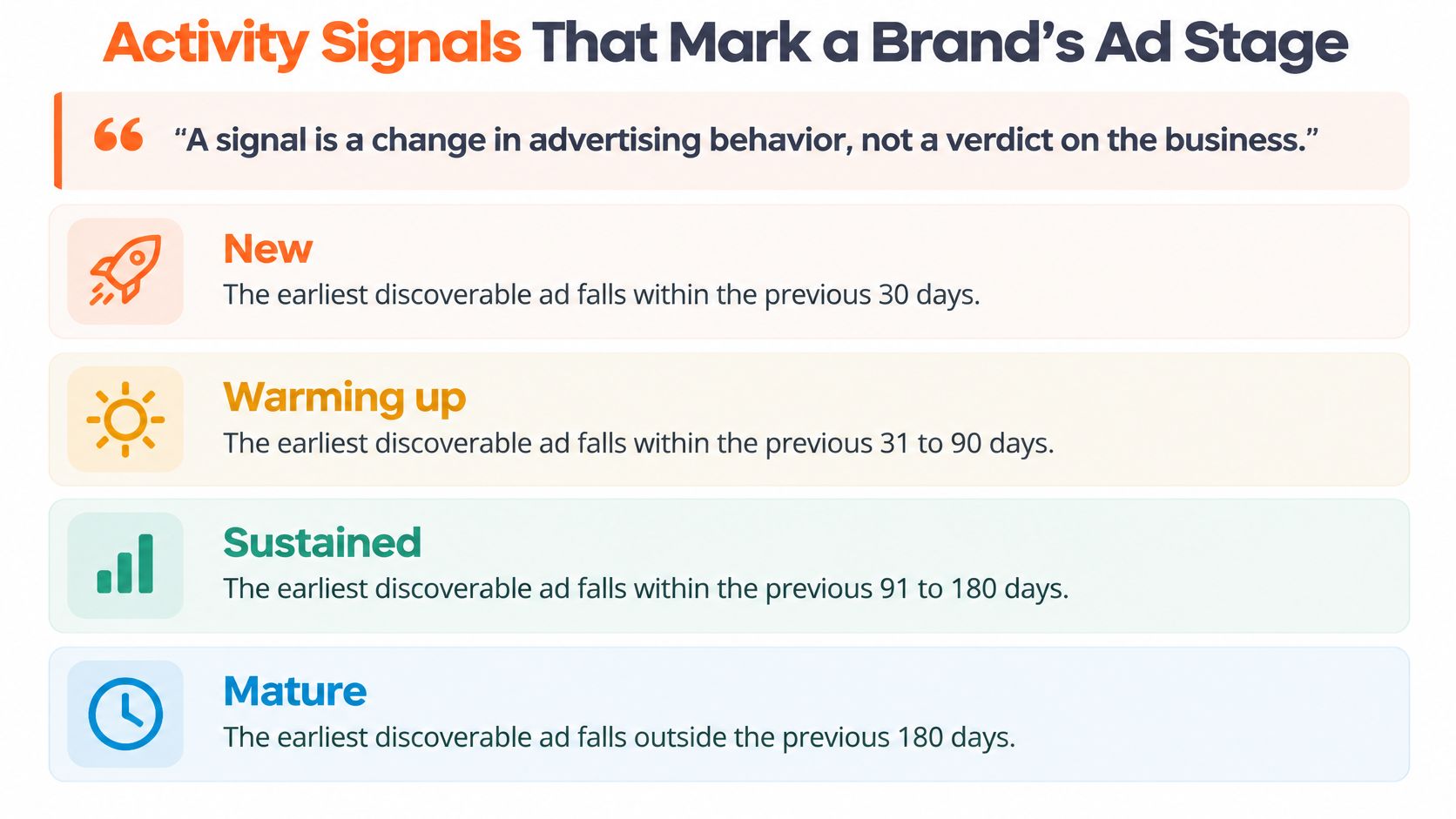
A signal is a change in advertising behavior, not a verdict on the business.
Four signals carry most of the meaning in a daily scan. New means the earliest discoverable ad falls within the previous 14 days, and older ads still listed in the libraries are checked so an established advertiser with a fresh creative doesn't get mislabeled. Scaling means ad volume is increasing sharply between observations. Struggling means frequent launches with few ads surviving beyond two weeks. Stopped means a transition from active ads to zero.
Timing depends on the refresh cycle. Data updates daily, and most new advertisers appear within a day of their first ad, so a brand carrying the new signal this morning is worth researching this afternoon, not next month when three competitors have already emailed.
Ad age is the companion measure, and it's how you separate a brand entering the category from one that has been at it for years. The chart below sets out the stage bands.
Which service fits which signal
Signal fit is where most outreach goes wrong, because analysts chase volume instead of relevance. Match the signal to what you sell:
- New brands need launch strategy and a first creative system. A paid social agency or a creative studio with a launch package fits here, and the pitch is about the next 60 days rather than fixing the past.
- Scaling brands need fresh assets and lifecycle work at pace. UGC studios, email and SMS agencies, and retention specialists fit, because more spend without retention leaks margin.
- Struggling brands need conversion work. CRO and Shopify development teams can address landing pages, offers and checkout friction, and the signal gives them a concrete reason to open the conversation.
- Stopped brands make a re-engagement list for media buyers, and often for agencies that can diagnose what went wrong before restarting spend.
Run one test before you write anything. Does this signal match the service I sell, and would the brand expect to hear from me right now? If either answer is no, the lead belongs in a later ecommerce lead generation sequence, not in this week's outreach.
Build, Check and Save Your First Filtered Search
Start broad, add one filter at a time, and check results by hand before saving. That order matters because every filter you stack hides the effect of the previous one, and you learn more from a 200-brand list you can inspect than from a 4-brand list you can't explain.
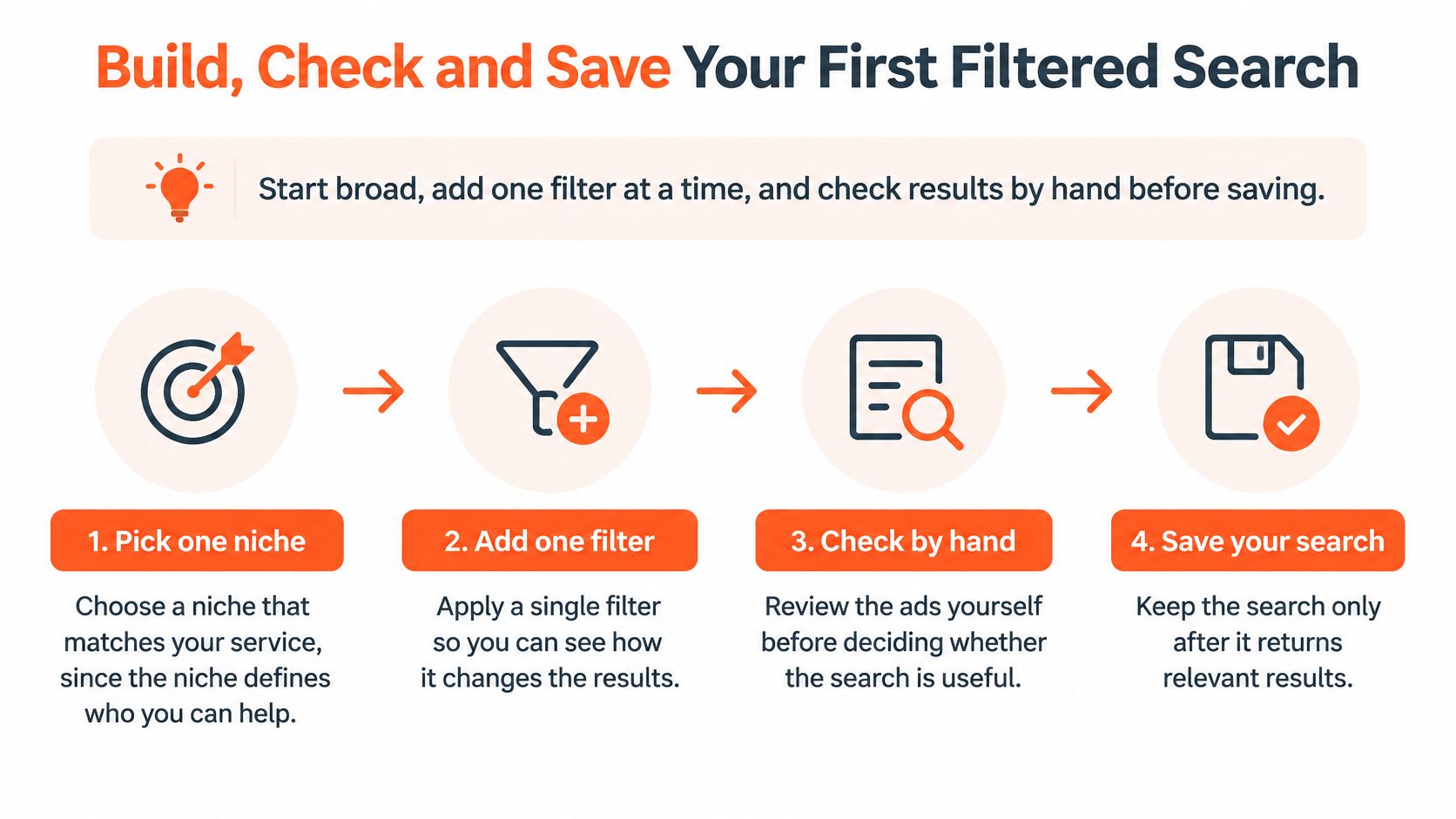
- Pick one niche that matches your service. The niche defines who you can help. A CRO team does better with supplement brands on a leaky checkout than with a polished fashion label that already converts.
- Add one activity signal. New or scaling sets the timing of the outreach. Adding a second signal in the same pass usually muddies the read.
- Set an ad volume floor of around 20 live ads. Single-test advertisers drop out, and what remains is a team running a program with something at stake.
- Filter by store platform. Shopify, if that's the stack you build on. The platform filter is only as good as the store check behind it.
- Choose the channel. Meta only, Google only, or both. Both narrows hardest and tends to surface advertisers with a broader footprint.
- Review ten results by hand. Open each brand profile to confirm the store is live, the ads match the category, and the history looks like a real program. The common slip is skipping this step, which is exactly how mismatched brands, dead stores and agency-run duplicate identities end up on your call sheet.
- Save the search and set a daily or weekly alert. Any saved search can run as an alert, with one digest email per search and no email at all when nothing new matches, so the inbox stays quiet on a slow week.
Checking a single prospect takes less effort than building a search around it. The free brand lookup accepts a store domain and shows when that brand started advertising, its live ad count and the channels it appears on, which settles most "is this real" questions in under a minute.
A good result set holds roughly 20 to 50 brands, most of them matching your niche and signal, nearly all with a working store. If the list comes back empty, widen the signal or lower the volume floor before you touch the niche, because the niche is rarely the constraint.
Reading Signals Without Overclaiming Performance
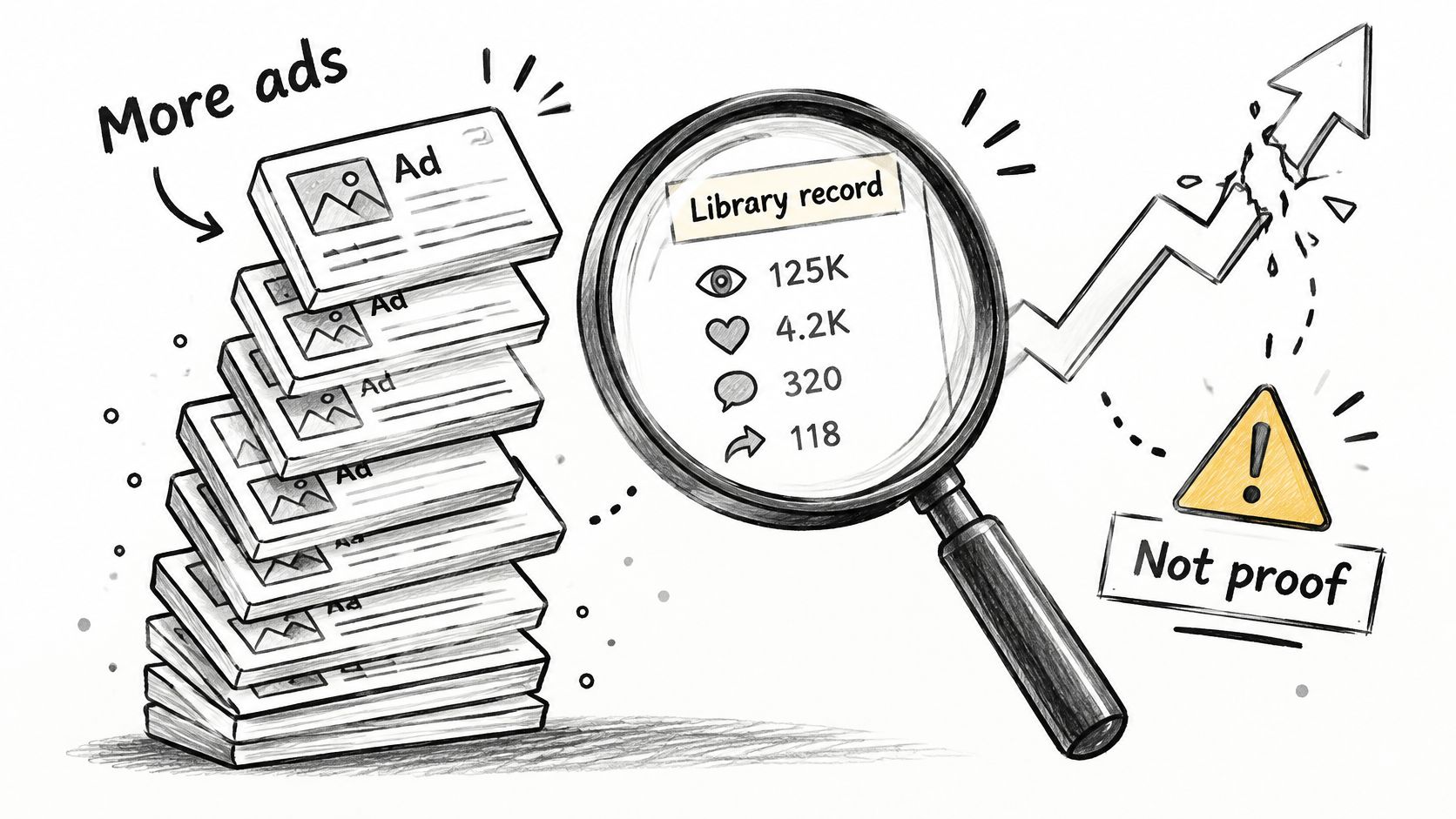
A rising ad count is not proof that a brand is succeeding. Public ad libraries show that an ad existed. They don't show spend, click-through rate, conversion rate, acquisition cost or return on ad spend, and no amount of clever filtering turns them into a P&L.
An independent audit of major ad libraries reported in the Journal of Advertising found that archives may be non-permanent or difficult to search and extract, while targeting, spend, volume and reach data are often absent or severely limited. For Meta specifically, the audit reported that, outside the EU, general commercial ads are generally indexed while active, while political and social-issue ads get substantially longer retention and richer disclosure. The practical consequence is that transparency data works as an observability layer and never as a complete record of media buying.
The three-part framework
Every observation you write down should split into three parts. The observable fact: an ad ran in a channel on a date. The plausible interpretation: activity increased in that channel. What stays unknowable: whether those new ads earn a return.
The same pattern misleads in both directions. A sharp climb could be a winner being pushed, or creative testing with duplicated variants across placements, or a seasonal push that will collapse in a fortnight. Frequent launches with short-lived ads could be an offer problem worth selling against, or a disciplined testing cadence run by a team that knows exactly what it's doing.
| Observation | What It Supports | What It Cannot Prove |
|---|---|---|
| Ad appears in the library | The brand ran that ad in that channel | Budget, audience size or profit |
| Ad count rises sharply over days | Activity increased, possibly scaling | Whether new ads convert or earn a return |
| Ads launch often, few last two weeks | Creative testing or unstable offers | Whether the brand is struggling financially |
| Active ads drop to zero over consecutive checks | Visible activity ended, possibly a pause | Whether the brand quit advertising for good |
| Tracking pixels found on the store | The team has installed ad tracking tools | Whether tracking works or sales follow |
| No ad observed in one check | Possible coverage gap or temporary indexing delay | Whether the brand is inactive |
If you want a second walkthrough of how these libraries behave before you build a workflow around them, this overview is a reasonable primer.
Write outreach from the fact, not the interpretation. "Your store has launched several new Meta creatives in the past two weeks; are you testing new offers or expanding a winner?" gives the brand room to tell you what's happening. "It looks like your ads are underperforming" asserts something the data can't support and gets you ignored.
Coverage Gaps That Change What a Missing Ad Means
Searching transparency databases does not produce a complete prospect list, and the gaps are structural rather than a matter of trying harder. The Meta Ad Library itself shows why. Meta's index is primarily page-based, so a brand running multiple pages, regional entities, sub-brands or agency-managed identities may not surface under one obvious search. Google's transparency data can also omit or delay information, and its historical coverage of commercial advertising is far thinner than what it retains for political ads.
Those gaps cause four predictable failures in lead generation: advertisers missed entirely, new-advertiser alerts that arrive late, duplicate brand identities counted twice, and the worst of the four, false conclusions that a brand stopped advertising when it moved or the index slipped.
Fix each one directly:
- Repeat the observation. Before you label a brand stopped, require consecutive daily checks showing zero active ads. One missed read is a timing artifact, not a pause.
- Verify the domain. Match the brand to its store URL so agency-run lookalike pages don't enter the list as separate companies.
- Search alternate names. Try the parent company, the sub-brand and the regional variant before concluding a brand isn't advertising.
- Check country pages. Regional pages and verification differences distort results most for agencies selling into multi-market ecommerce.
- Record "not observed" rather than "inactive." The status is honest, and it keeps the brand eligible for a later check.
Daily monitoring improves speed. It doesn't deliver certainty. A missing ad is often a coverage gap, and the analyst who writes "not observed today" keeps the lead alive instead of deleting a brand that will reappear on Thursday.
Data Limits and Your Pre-Pitch Checklist
Know the boundary before you filter: these records give you brand names and advertising activity, not people. AdvertiserLeads includes no contact details, so the workflow ends with a CSV export and a separate enrichment or outreach tool such as Clay or Apollo to find the right person. You may use the data to research and contact brands for your own business.
Signals also stop at observable behavior. A scaling flag means sharply increasing ad volume; it says nothing about revenue, margins or whether the spend is working. Treat every filtered result as a lead to qualify, not a verdict.
Before writing to anyone, confirm the brand is a real fit. The free brand lookup accepts any store domain and returns when it started advertising, its live ads and its channels. On a brand page, catalog size, price range, recent launches and store age become visible with a free account, and the brand name lookup walkthrough shows what each field tells you. A minute of confirmation beats a week of chasing a store that closed in March.
Then run three questions on every lead:
- What changed? Name the specific signal and its date, such as a rising Meta ad count across consecutive daily updates.
- What could it mean? List at least two explanations, such as a new creative test or a seasonal push, and write down what the data cannot show.
- What can I verify myself? Open the store, the current offer and the landing page the ads point to before anything lands in an inbox.
Visit AdvertiserLeads to run a free brand lookup and build your first filtered search.
Find brands that just started advertising
AdvertiserLeads checks the Meta Ad Library every day and flags ecom brands that just started, scaled or stopped their ads. Create a free account to see the live feed. No card.