Advertiser Database Guide for Agency Prospecting
November 7, 2026
Global advertising spend was forecast to reach $992 billion in 2025, representing 4.9% year-over-year growth, according to Dentsu's Global Ad Spend Forecasts. That scale changes the prospecting question. You don't need a longer list of companies that might advertise someday. You need to know which brands started, expanded, kept testing, or stopped, and when each change happened. An advertiser database built as a dated record of activity gives you that timing. A static brand list doesn't.
Table of Contents
- Why an Advertiser Database Beats a Brand List
- What an Advertiser Database Actually Stores
- Where Meta and Google Records Disagree
- How Daily Ad Activity Becomes Prospecting Signals
- What Activity Signals Can and Cannot Prove
- Matching Each Signal to an Agency Offer
- Check the Signal Then Start Outreach
Why an Advertiser Database Beats a Brand List
Say you download a list of Shopify stores in skincare on Monday. By the time you've enriched contacts and written outreach, some brands have launched their first ads, others have paused, and a few have doubled their live creatives. Your list can't tell you which is which, because it recorded who exists, not what changed.
That gap matters while budgets keep moving. Global digital advertising spend was forecast to grow 7.9% in 2025, while paid social was forecast to grow 9.2% and paid search 8.3%, according to Dentsu's ad spend forecasts. The set of active buyers shifts faster than a downloaded company list can track.
Think of a store technology list as a phone book of shops. It tells you a store exists and which platform it runs. An advertiser database is closer to a foot traffic log. It shows who opened, who got busier, and who went dark, with dates attached to each movement.
That log is useful to different sellers for different reasons:
- Paid social and PPC agencies: You need brands that just started or can't keep ads alive.
- Freelance media buyers: You need a steady queue of brands spending now.
- Creative studios and retention teams: You need brands launching often or buying more traffic.
- CRO and Shopify agencies: You need brands whose ads keep dying early.
- Ecommerce software sellers and affiliate platforms: You need stores already investing in growth.
Good ecommerce market research starts with that distinction. Ahead you'll get the record map, the daily build, where the two big libraries disagree, which inferences fail, and which offer fits which change. Keep the field table in the next section beside any vendor demo. If a seller can't show you those fields with dates, you're buying a phone book.
What an Advertiser Database Actually Stores
Start with the record map. You can audit any product against these rows in a few minutes, and you'll quickly see whether you're looking at dated observations or a scraped directory with screenshots attached.
| Record element | What you can observe | Usual source |
|---|---|---|
| Identity | Advertiser or Page name, platform ID, landing domain | Meta Ad Library and Google Ads Transparency Center |
| First discoverable ad | Earliest public ad; new if within the last 14 days after older listed ads are excluded | Daily library snapshots |
| Live ad count | Ads running at the latest check, plus active-day duration | Repeated snapshots of active ads |
| Launch pattern | New creatives, replacement rate, and ads that end inside two weeks | Time-stamped creative IDs |
| Scaling change | Sharp rise in concurrently active ads | Diff of live counts over days |
| Stopped activity | Shift from nonzero active ads to zero | Daily active-set comparison |
| Place and surface | Regions and Search, Display, YouTube, or Meta placements where shown | Platform transparency fields |
| Store and extra channels | Ecommerce store behind the domain, platform, and pixels for other channels | Domain check and homepage markers |
Identity and timing come first
Identity is the advertiser or Page name, the platform identifier, and the landing domain. It isn't a personal email or phone number, and confusing the two causes trouble later. The brand record tells you who is advertising. Finding the right person is a separate enrichment job.
Timing starts with the first date an ad was discoverable. A workable new advertiser rule is simple. If the earliest Meta ad you found sits inside the last 14 days, and you've checked for older ads the library still lists, you can treat the brand as newly advertising. Skip that older-ad check and you'll pitch established brands as if they'd just launched, which kills credibility in the first line of your email.
Volume and change do the prospecting work
Volume is the live ad count at your latest snapshot, plus how many days those ads stayed active. One count on its own means little. A brand holding a similar count for weeks looks different from a brand that spiked yesterday and may fall back tomorrow.
Change is where timing becomes a reason to write. Track launch frequency, how fast creatives get replaced, a sharp rise in concurrently active ads, and any move from active ads to zero. Each change is an event with a date. That's what lets you write "you launched this week" instead of "I help brands like yours."
Context and the store behind the ads
Context covers geography and surfaces, such as Search, Display, YouTube, or Meta placements, plus other channels you can infer from tracking pixels on the homepage. A brand running on two channels is making a different commitment than one testing a single placement.
The store row confirms an ecommerce site sits behind the brand. A practical check runs through Shopify's products endpoint, then response headers, then homepage markers. That order matters because any single marker can mislead, and you don't want media pages or parked domains in an ecommerce prospect list.
These rows describe observable advertising behavior, not budget, revenue, profit, or intent to hire an agency.
Keep only fields you can re-observe on a later day. If you can't check a value again next week and get a yes or no answer, it's probably an opinion wearing a spreadsheet costume.
Where Meta and Google Records Disagree
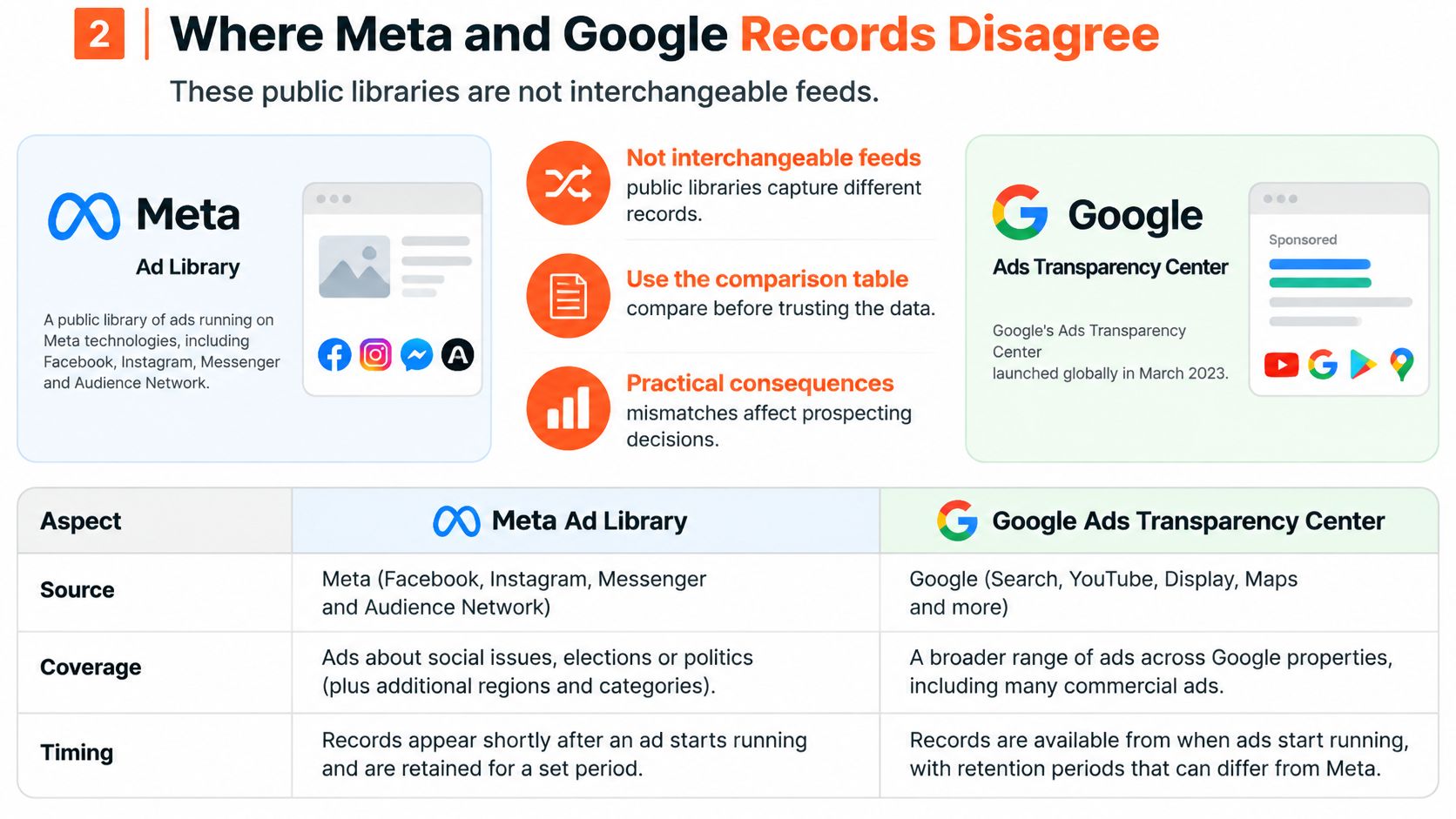
The two public libraries aren't interchangeable feeds, and treating them as one source creates quiet errors. Compare them side by side before you trust any combined record.
| Source | What it covers | Fields useful for prospecting | Known gaps | History window |
|---|---|---|---|---|
| Meta Ad Library | Public ads tied to Pages; API scope is political and issue ads worldwide plus certain UK and EU commercial ads | Creative, Page name and ID, delivery dates, placements; political ads may add spend and impression ranges | Targeting often incomplete or removed; commercial API coverage is not global | Seven years for qualifying political and social-issue ads; commercial retention is shorter and interface-dependent |
| Google Ads Transparency Center | Verified advertisers on Search, Display, Gmail, and YouTube since the March 2023 global launch | Advertiser, creative, format, regions, and last date an ad was shown | Less detail in research use, weak keyword filtering, unfiltered bulk exports, no spend proof | Public last-shown and verification history, not a full account archive |
| Combined database | Only the overlap you actually observed on a given day | A single brand key across domains plus a source flag on every field | Must not treat a missing platform as proof of no ads | Per field, dated as observed, not as a blended lifetime |
What each mismatch means in practice
Google's repository is younger and thinner for research. Independent analysis in the EDMO analysis of electoral advertising found Google provides less detail in several research contexts, lacks keyword filtering, and may produce unfiltered bulk exports. You'll spend more time cleaning Google pulls, and a missing keyword result doesn't mean a brand isn't running search ads.
Meta's depth is uneven by ad category. Political and social issue ads carry richer fields and long retention, while a commercial ecommerce view often depends on what the public interface exposes rather than a complete API dump. Meta has also changed or removed some targeting information, and neither repository provides a complete or consistently reliable account of targeting parameters. So don't build outreach around an audience claim you pulled from either library.
Geography adds another seam. Repository rules vary by market, and EU related transparency data can differ from what's available elsewhere. A US ecommerce file shouldn't be described as worldwide coverage, and a brand absent from one regional view may still be advertising.
How a serious database responds
- Keep the observation date: Every field carries the day you saw it.
- Mark records active or historical: Don't blend a dead ad into a live count.
- Deduplicate brands across platforms: One brand key, matched by domain.
- Lower confidence for single-source signals: Say so in the record itself.
Ask one audit question of any vendor. If a field disappeared from the interface tomorrow, could you still say when you last saw it? If the answer is no, the history you're buying is thinner than it looks.
How Daily Ad Activity Becomes Prospecting Signals
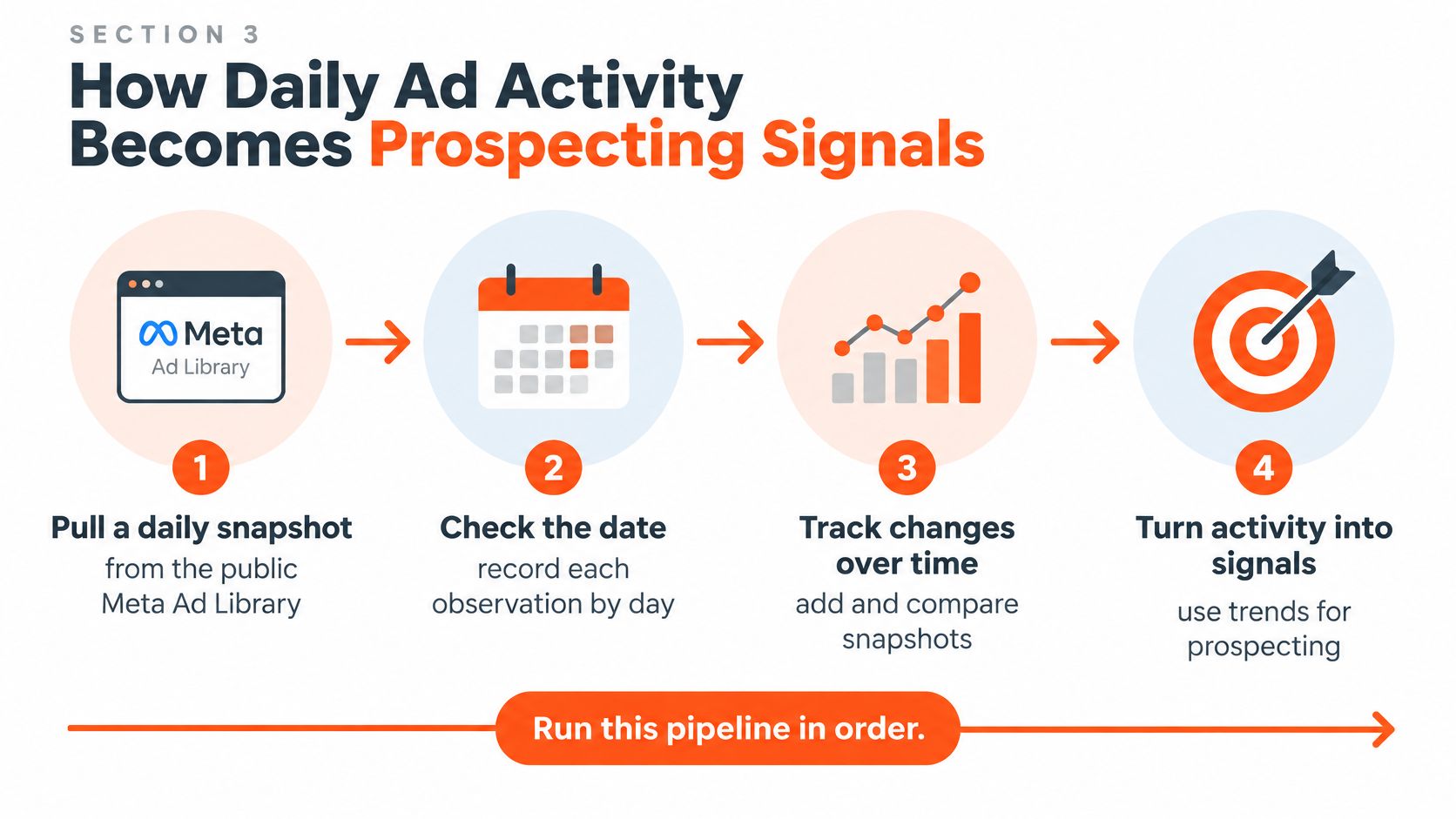
Treat the database as a time series of dated observations, not a catalog of pictures. A folder of creatives tells you what an ad looked like. A daily record tells you when it appeared, how long it lived, and what replaced it. Run this pipeline in order.
The seven steps
Pull a daily snapshot: Take the public Meta Ad Library every day, and add Google's Ads Transparency Center when you need Search or Display coverage. Keep advertiser, creative, surfaces, geography, delivery dates, and last shown date wherever the platform exposes them. A single snapshot can't show when anything started, which is why the daily rhythm matters. Google's Ads Transparency Center help page describes coverage across Search, Display, Gmail, and YouTube, while Meta's API scope covers worldwide political and issue ads plus certain UK and EU commercial ads.
Deduplicate on platform identifiers: Match each record by its ad or creative ID so the same ad doesn't count as a new launch every morning. Without this step, your launch counts inflate and every brand looks hyperactive.
Normalize names and domains: One brand often appears under slightly different Page names or landing paths. Map them to one brand key so placements add up instead of splitting into phantom advertisers.
Match the domain to a live store: Check Shopify's /products.json endpoint first, then response headers, then homepage markers. While you're on the homepage, read the tracking pixels to note other ad channels the brand uses. This is how our daily checks connect each advertiser to its online store before any signal is assigned.
Derive the events: From the dated snapshots, calculate first observed date, active day duration, launch frequency, creative replacement rate, rises in concurrent ads, and transitions from nonzero to zero active ads. These derived events are the signals you'll sell against.
Apply the new advertiser rule last: Only after older listed ads have been checked does a brand count as new, based on an earliest Meta ad found in the last 14 days. Brands with older ads don't count, even if they launched something fresh yesterday.
Separate not observed from not running: Archive visibility varies by market and ad category, so a gap in your pull isn't proof a brand stopped. Store the distinction in the record, not in your head.
Practical rule: A rise in live ads is a timely outreach trigger. A disappearance is a monitoring event, not proof the business failed.
That last distinction protects your reputation. You'll write fewer confident-sounding emails that turn out to be wrong, and the ones you send will cite dates a prospect can verify.
What Activity Signals Can and Cannot Prove
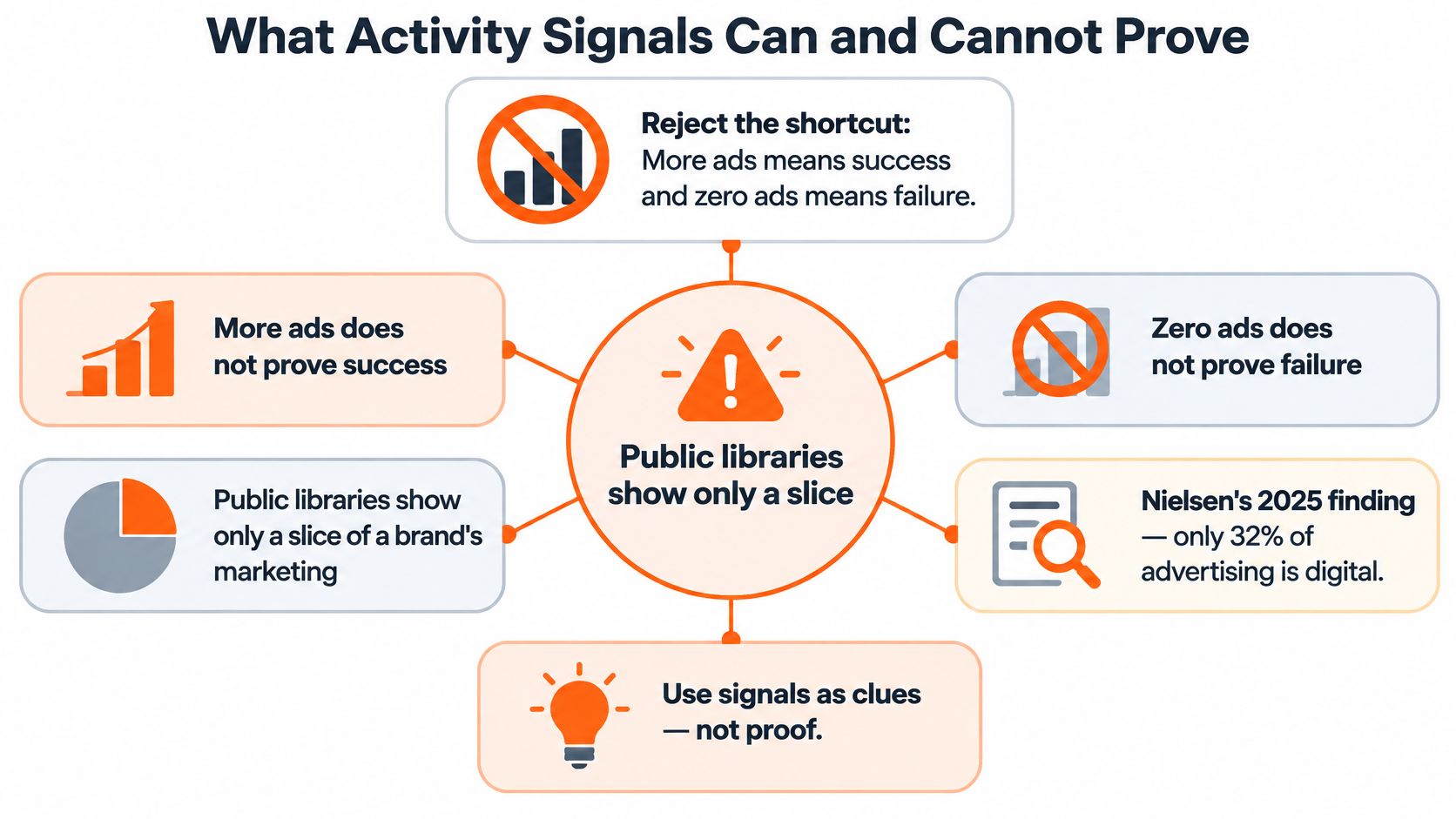
More ads doesn't mean success. Zero ads doesn't mean failure. Reject that shortcut first, because almost every bad outreach email built on ad library data starts there.
Public libraries show one slice of a brand's marketing. In Nielsen's 2025 Annual Marketing Report, only 32% globally reported measuring media spending holistically across digital and traditional media. If marketers inside those companies can't see the full picture, you can't reconstruct it from one public library either.
Sort observations by confidence
| Confidence | Observation | Safe use | Do not claim | Check first |
|---|---|---|---|---|
| High | First ad seen within 14 days, after older listed ads are excluded | Prioritize a new-advertiser pitch | The company is new or has a set budget | Confirm no older ads remain in the library |
| High | Live-ad count, active days, and named channels | Describe current intensity and channel mix | Spend, ROAS, or profit | Re-open the library and the store the same week |
| Medium | Sharp rise in concurrent live ads | Time a scaling conversation | That scaling is profitable | Require the rise to persist across more than one week |
| Low | Many launches with few ads living past two weeks | Hypothesis of an offer or page problem | Creative fatigue or distress as fact | Review the landing page and offer before the pitch |
| Low | Active ads drop to zero | A stop worth monitoring | The business failed | Rule out seasonality, a rename, and a data gap |
Public ad data can be incomplete, so signals, scores, and brand details may be wrong or out of date. Check anything important before you rely on it, especially before you repeat it to the prospect.
Four validation moves before outreach
- Look at the store and offer this week: Does the landing page match what the ads promise?
- Scan hiring or wholesale pages: Capacity and channel signals often sit there in plain sight.
- Wait for multi-week persistence: A rise that survives two snapshots is worth more than a spike.
- Compare a second source: Check the other library before telling a prospect their ads failed.
Activity is evidence of advertising behavior, never a profit-and-loss statement.
Matching Each Signal to an Agency Offer
A signal earns its keep when it starts a specific conversation. Here's how each reader turns one observed change into one relevant offer, with the line you shouldn't say included.
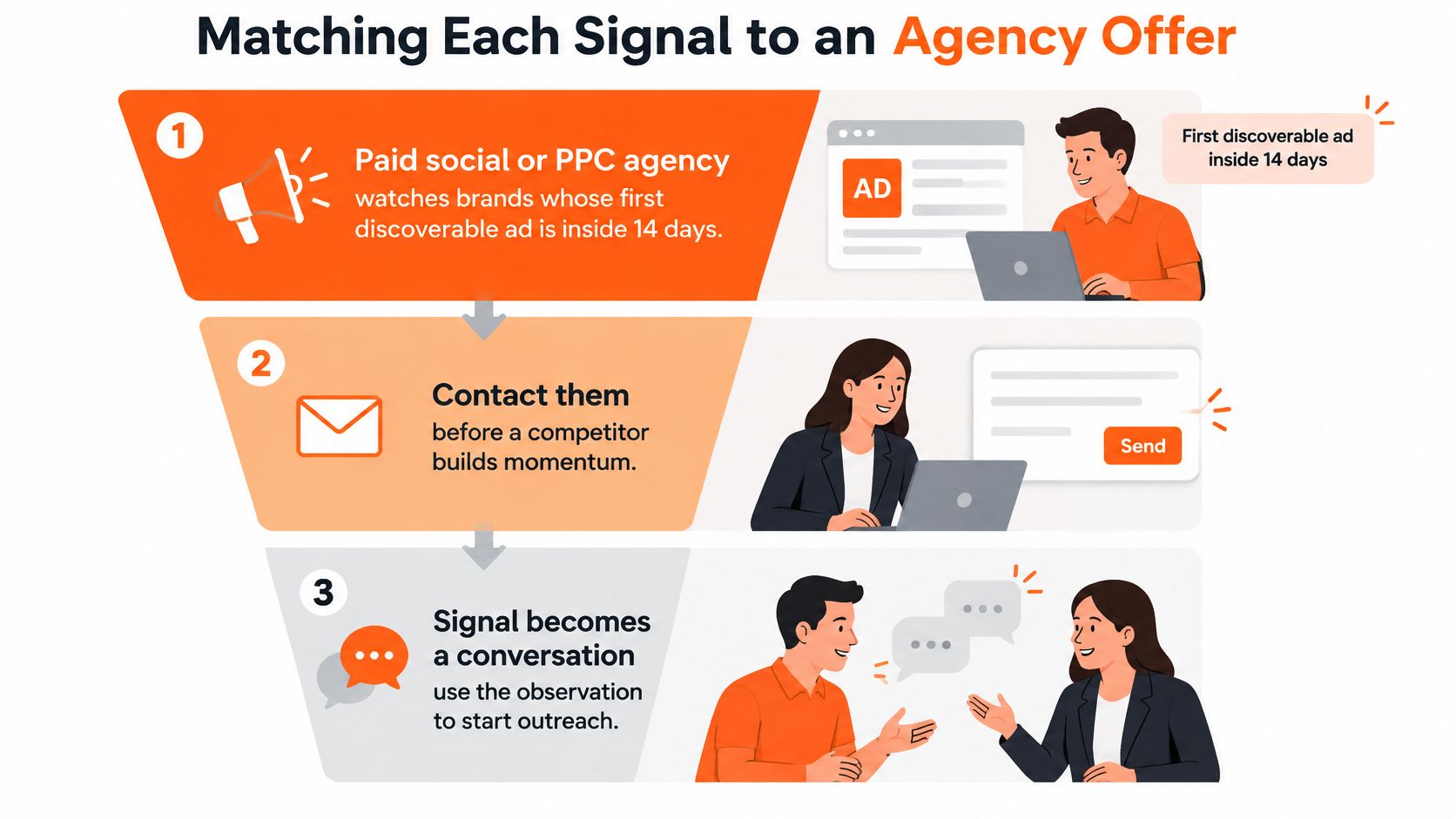
Paid social and PPC agencies
You watch brands whose first discoverable ad sits inside 14 days and write the same week, before a retainer gets signed elsewhere. Lead with the start date and the offer they're testing, not a generic audit. Don't claim you know their budget. You know when they started, and that's enough to be relevant. That's why disciplined ecommerce lead generation beats volume, because ten well-timed notes outperform a hundred cold ones.
Freelance media buyers
You keep a steady queue of brands actively running ads and use a scaling rise to show you already know the current flight. Reference the live ad count trend, then offer hands-on help managing the expansion. Wait until the rise persists past one week. Don't promise you can scale what's working, since you don't know that it is working.
UGC creators and creative studios
You target high launch counts and brands adding live ads, because those teams burn through creative fast. Your pitch is capacity. You can supply fresh concepts at the pace their testing demands. Don't tell them their current ads are bad. Short ad lifespans might reflect disciplined testing, and insulting the work ends the conversation.
Email, SMS, and retention agencies
You treat a sustained rise in live ads as a sign the brand is paying for traffic it may not be keeping. Offer lifecycle help that captures more value from visitors they're already buying. Time it after a multi-week rise, when the traffic commitment looks real. Don't quote a return figure you invented. Ask what happens to the traffic after the click instead.
CRO and Shopify agencies
You use the struggling pattern, many new ads with few survivors past two weeks, as a reason to review the landing page and offer. Do that review before you write, and present your finding as a hypothesis with a specific page observation attached. Don't diagnose creative fatigue from the outside. A weak offer, a slow page, or a price mismatch can produce the same pattern.
Ecommerce SaaS, apps, and creator platforms
You filter by store platform plus active or scaling status, so your pipeline holds stores advertising now rather than every Shopify domain in existence. Influencer and affiliate platforms work the same logic from the other side. New and scaling advertisers are already funding growth, so they're more likely to test another channel. Don't pitch growth tools to a brand that went dark last month. Check the live count first, every time.
Check the Signal Then Start Outreach
You can put this standard to work this week. Store dated observations, separate them from guesses, and match one offer to one change. That's the whole method. Everything else is tooling.
Run the five brand check first
Pick one niche and one signal, such as new advertisers or a stop. Take the first ten brands and verify five of them by hand against the live library and the store before you add any filter or automation. Confirm the start date, the live count, and that the landing page matches the ads. A quick brand name lookup by domain speeds up that first pass.
Save the search once it checks out, so new matches arrive as a daily digest instead of a repeated manual search. Before any scheduled pulls, check each library's terms of use and your local privacy rules. Free starting points include a domain lookup and a Facebook Ad Library search exported to CSV, which covers a small manual workflow well.
A proper activity database doesn't include contact details. AdvertiserLeads works that way. You export brand records to CSV and find the right person in a separate tool such as Clay or Apollo. For US ecommerce work, it covers US brands only, classifies just started, scaling, struggling, and stopped brands from daily transparency scans, and paid plans start at $49 per month. The Pro plan includes every brand with full ad history across 3 niches, up to 5 saved searches with daily alerts by email, Slack or webhook, and CSV export up to 2,500 rows a month.
Finish with one saved search, five verified brands, and a first outreach note that cites a date and a live ad count rather than a guessed budget. That note will read differently from everything else in the prospect's inbox, because it's built on something you observed.
Start your next prospect list from observed ad activity instead of a static store directory. AdvertiserLeads tracks US ecommerce brands daily and flags which ones just started, are scaling, are struggling, or stopped, so you can verify five brands by hand and write outreach that cites a real start date. Visit today, run your first niche search, and save it as a daily alert before your competitors spot the same launch.
Find brands that just started advertising
AdvertiserLeads checks the Meta Ad Library every day and flags ecom brands that just started, scaled or stopped their ads. Create a free account to see the live feed. No card.